
999AP Game 2026: Complete Download, Login & Features Guide
56 MB
1.1.80
Android
7 K
Description
Mobile gaming continues to attract Android users who want convenient digital entertainment on their phones. The 999AP Game name may appear in searches for gaming applications, APK files, account registration, and online activities. However, before installing an unfamiliar app, users should check its identity, understand its features, and review the available terms.
This guide explains the important steps involved in evaluating the 999AP App. It covers installation, account access, possible gaming categories, payment information, troubleshooting, and security. Pakistani users should also check whether the service supports their devices, local currency, and preferred payment methods before proceeding.
The name alone does not confirm the app’s authenticity or available services. Therefore, verify the current information through a trustworthy source, and never rely on promises of guaranteed income or risk-free rewards.
What Is the 999AP Game App?

The name suggests a mobile gaming service, but users should confirm the identity and operator of the particular application they find. Similar names can refer to different websites or apps, so checking the exact domain and publisher matters.
Before using the 9999AP, review its main information carefully. Look for a clear description of its services, account requirements, privacy policy, and terms of use. If the operator does not explain these details, consider that a warning sign.
A careful review should cover the following points:
- Publisher details: Confirm who operates the application.
- Compatibility: Check whether your Android phone meets its requirements.
- Account access: Understand the registration and login process.
- Payment terms: Review transaction rules if the service handles money.
- Privacy: Find out how the platform handles personal information.
- Customer support: Check whether the operator provides a reliable contact method.
These checks can help users decide whether the application deserves further consideration.
Sone Game brings convenient navigation and gaming-related features together in an interface designed for straightforward browsing.
Important Features to Check Before Using 999AP
Every gaming application offers a different combination of tools and activities. Instead of assuming that every advertised feature exists, inspect the current version and verify the available information.
A Simple Mobile Interface
A clear interface helps users find menus, settings, account information, and game instructions. Check whether the application presents important options understandably.
Gaming Categories
Some gaming services organize activities into separate sections. Read the instructions for each category before participating, especially if the activity involves entry fees or financial risk.
Account Management Tools
Account settings may help registered users update selected details or manage their credentials. Use verified account pages and protect your password from other people.
Support and Help Options
Helpful support information can make it easier to address technical issues. Look for clear instructions on account recovery, complaints, and payment disputes where applicable.
Device Compatibility
A compatible application should work with your device’s operating system and available resources. Check the stated Android version and storage requirements before downloading any file.
These are general features to evaluate, not a confirmed list of services provided by a particular 999AP application.
How to Download 999AP APK Safely

An APK is an Android installation package. Some developers distribute applications through their websites, but third-party downloads require extra care because a file may contain unwanted or harmful software.
If you are considering a 999AP Game Download, follow these precautions:
- Identify a trustworthy source (APKontop) that clearly names the publisher.
- Check that the website refers to the exact application you want.
- Review the available version and device requirements.
- Scan the downloaded file with a reputable security tool.
- Review the requested permissions before installation.
- Avoid modified APK files from unknown websites or messaging groups.
- Stop if the source makes unrealistic promises or hides essential information.
A familiar name or logo does not prove that a file is genuine. If you cannot verify the publisher or the package’s origin, do not install it.
Installing the 999AP Game App on Android
Once you have checked the source and decided that the file is trustworthy, follow the publisher’s instructions. Android menus can vary between phone brands and operating system versions.
Step 1: Prepare Your Phone
Check the Android version and make sure your device has enough free storage. Install available security updates before proceeding.
Step 2: Find the Downloaded Package
Open your phone’s Downloads folder or file manager. Locate the APK and confirm that you downloaded it from the source you intended to use.
Step 3: Review Security Settings
Android may restrict installations from outside approved stores. Do not disable security protections without understanding the consequences. Continue only when you have verified the file’s source and accept the risks.
Step 4: Follow the Installation Instructions
If you decide to proceed, follow the on-screen prompts. Cancel the process if the package displays suspicious warnings or requests unrelated permissions.
Step 5: Check the Installed Application
Open the app and inspect its identity, settings, privacy information, and available features. Avoid entering sensitive details until you have verified the service.
How to Register for a 999AP Account
Some gaming platforms require an account before users can access their services. The exact registration process depends on the application and its current policies.
If the verified platform provides registration, follow these general steps:
- Open the correct application or website.
- Select the registration option.
- Enter the information that the service legitimately requires.
- Complete any necessary verification.
- Read the privacy policy and terms before accepting them.
- Create a strong password and keep it private.
Do not provide unnecessary personal details to an unknown operator. If a platform requests identity documents or financial information, first establish why it needs them and how it will protect them.
999AP Game Login: How to Access Your Account
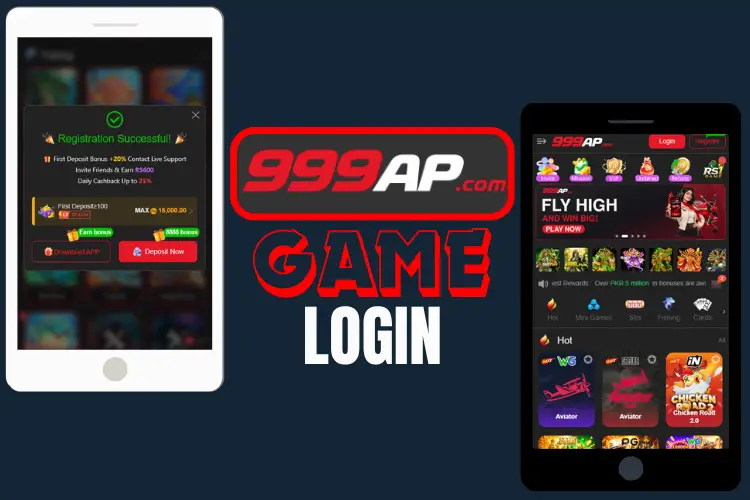
The 999AP Game Login process depends on the platform’s account system. If you have already registered, open the verified login page and follow its instructions.
For a smoother experience, check your username or registered contact details before entering your password. Make sure your internet connection works and watch for typing errors.
If you forget your password, use the official recovery option if the service offers one. Never share a one-time password, recovery code, or account password with someone who claims to provide support.
If login attempts continue to fail, stop and review the available troubleshooting instructions. The problem may involve incorrect credentials, a temporary service issue, or an account restriction.
Exploring Gaming Options and Activities
The activities available through an application can change over time. Therefore, users should confirm the current categories instead of relying on an unverified list.
Common categories across mobile gaming services include casual games, strategy challenges, multiplayer entertainment, and chance-based activities.
Casual games often focus on simple instructions and short sessions. Strategy games may require planning and decision-making, while multiplayer options can allow users to compete with others.
Some services also offer chance-based games or betting. These activities may involve financial losses, and no strategy can guarantee a winning result.
Before choosing an activity, read its rules, check any associated costs, and understand whether the service uses virtual points or real money. Do not assume that every category is available in the 999AP Game App.
Does 999AP Game upport PKR Deposits and Withdrawals?
Pakistani users may want to know whether an application supports Pakistani rupees (PKR), local wallets, or bank transfers. However, payment availability depends on the exact operator and current service terms.
Before making a transaction, verify the following details:
- Currency: Confirm whether the service supports PKR.
- Payment methods: Check the available options through verified platform information.
- Deposit limits: Read any minimum or maximum transaction requirements.
- Withdrawal rules: Understand the eligibility conditions and processing times.
- Fees: Review service charges and other possible costs.
- Verification: Check whether the operator requires account verification.
- Dispute procedures: Find out how to report an unresolved transaction.
Never transfer money to an unknown individual based on a promise of instant rewards. Keep transaction records and verify unexpected payment requests directly with the provider.
Can You Earn Money Through 999AP Game App?
Do not treat the application as a guaranteed source of income. Without reliable evidence, users cannot assume that the service offers real-money rewards, dependable payouts, or consistent profits.
If an activity involves betting or paid participation, you may lose the money you spend. Promotional messages and screenshots do not prove that an earning claim is genuine.
Before risking any money, consider your financial situation and establish a strict limit. Never borrow funds, spend money intended for essential needs, or chase losses in the hope of recovering previous payments.
If your main goal is to earn money, consider legitimate employment, professional training, or freelance work with clear terms. These options offer a more practical starting point than relying on uncertain gaming outcomes.
Common Problems and Their Solutions
Users may experience installation errors, login difficulties, slow performance, or transaction delays. The following checks can help identify common causes.
The 999AP GameAPK Will Not Install
A damaged file, insufficient storage, or incompatible Android version may cause installation problems. Verify the source, check your phone’s requirements, and avoid downloading replacement files from suspicious websites.
The Application Closes Unexpectedly
Low memory, software bugs, or device incompatibility may affect performance. Restart your phone, close unused applications, and check for verified updates.
Login Details Do Not Work
Check your credentials carefully and use the official recovery option if necessary. Avoid entering your information on unofficial pages that imitate the service.
The App Loads Slowly
A weak internet connection or limited device resources may affect loading. Test your connection, free up storage if needed, and restart the application.
A Transaction Remains Pending
Check the transaction record and the provider’s stated processing period. If the delay continues, contact verified support and provide the relevant reference number. Never disclose your password or verification code.
Security Tips for 999AP Users
Your device and personal information deserve protection whenever you install unfamiliar software. Before using an application, review its publisher details, requested permissions, and privacy policy.
Keep Android updated and use a reputable security tool. Avoid suspicious links, modified packages, and files shared by unknown contacts. Also, create a unique password and never disclose account recovery codes.
If a 999AP Game app requests access that does not match its purpose, stop and investigate. If you cannot verify the operator or find clear terms, consider avoiding the service altogether.
Remember that no download guide can guarantee an application’s safety. Verification and careful decisions remain essential.
Final Thoughts
The 999AP Game name may attract users looking for mobile entertainment and Android applications. However, a responsible approach starts with verifying the exact service, checking the download source, and understanding its terms.
Before installing an APK, review compatibility and security information. Before registering, protect your personal details. If the platform offers financial transactions, read the rules carefully and never assume that payments or earnings are guaranteed.
Ultimately, choose applications based on reliable information rather than promotional promises. If you cannot confirm the operator’s identity or essential safety details, avoid the download and consider a more transparent alternative.
Frequently Asked Questions
1. What Is the 999AP Game?
999AP Game is a name users may encounter when searching for mobile gaming services. Verify the current operator and features before deciding to use the application.
2. Where Can I Find 999AP APK?
Look for a trustworthy source that identifies the publisher and application. Check the file before installation and avoid unknown or modified packages.
3. Is the 999AP App Available for Android?
Availability depends on the specific application and its publisher. Check the current Android requirements and verify the source before installing it.
4. How Does 999AP Game Login Work?
Open the verified login page and follow the current authentication instructions. If you forget your password, use the official recovery process if available.
5. Does 999AP Support PKR?
Check the current payment information to confirm whether the service supports Pakistani rupees and local payment methods.
6. Can I Earn Guaranteed Money Through 999AP?
No gaming or betting activity guarantees income. If the platform involves paid participation, you may lose money.
7. Is 999AP Game Safe to Install?
Safety depends on the file source, requested permissions, publisher transparency, and available security information. Verify these details before installing the application.
8. What Should I Do If 999AP Will Not Open?
Check your internet connection, available storage, and device compatibility. Restart your phone and consult verified support if the issue continues.