Description
Online gaming platforms have become increasingly accessible to smartphone users who want to explore different types of digital entertainment. S1 Game is a name that users may encounter when searching for mobile gaming options, APK downloads, account access, and platform features. However, before installing any application, it is important to understand its requirements, check its source, and review the available terms.
This guide explains the main topics users should consider when exploring S1 Game. It covers APK installation, account registration, login instructions, possible gaming categories, payment considerations, common technical problems, and basic security practices. Since platform details can change, users should verify current information through a reliable source before proceeding.
What Is the S1 Game Platform?
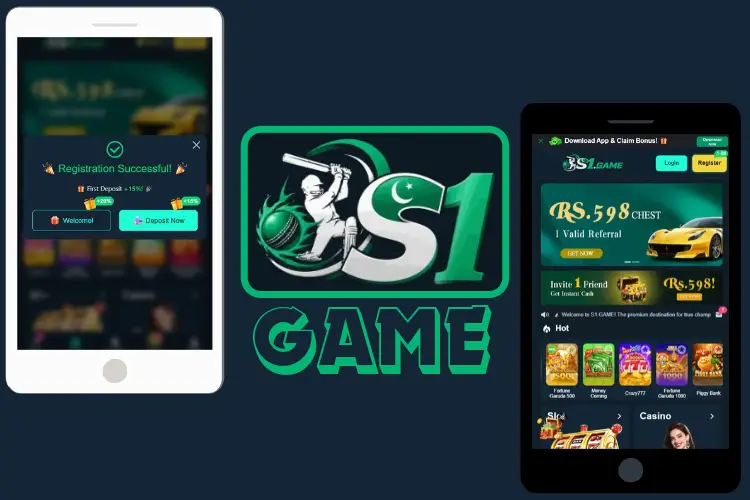
S1 Game is associated with searches for online gaming and mobile entertainment. The exact games, services, payment options, and account features available may depend on the current version and operator.
For this reason, users should not assume that every feature mentioned on an unofficial website is available or verified. Checking the platform’s current information can help users understand what it offers and whether it meets their needs.
Before using an unfamiliar gaming service, consider these points:
- Platform details: Confirm the operator’s identity and available contact information.
- Device support: Review the Android version and hardware requirements.
- Privacy: Understand what personal information the application collects.
- Terms of use: Read the rules for registration, payments, and account access.
- Security: Check the download source and requested application permissions.
Taking these steps can help you make a more informed decision before installing an application.
Getting familiar with M66 Game becomes simpler when users review its layout, explore available categories, and check the main settings.
Main Areas to Explore in S1 Game
The features of an online gaming application depend on its current release. Therefore, it is best to check the actual interface instead of relying on assumptions. The following are common areas users may want to investigate.
1. Mobile-Friendly Interface
A clear interface can make it easier to navigate menus, find account settings, and understand available activities. Look for readable text, clearly labeled controls, and straightforward navigation.
2. Gaming and Entertainment Sections
Some gaming platforms organize their activities into separate categories. If S1 Game provides multiple sections, review the instructions and rules for each one before participating.
3. Account Management
Account settings may allow users to update certain details, manage passwords, or review account information. Always use the verified account page and avoid sharing login credentials with other people.
4. Help and Support Information
Reliable support information is important when users encounter technical issues. Before registering, check whether the service provides clear instructions for account recovery, complaints, and other problems.
5. Device Compatibility
An application must work with your phone’s operating system and hardware. Check the minimum Android requirements, storage needs, and installation instructions before downloading the file.
These points are useful for evaluating an application, but they should not be treated as confirmation that every feature is available in S1 Game.
How to Download S1 Game APK
An APK is an Android application package used to install software on compatible Android devices. Some applications are distributed outside the Google Play Store, so users need to take additional precautions when considering an APK download.
Follow these general steps:
- Find a trustworthy source that clearly identifies the application and its publisher.
- Check the available version and its compatibility with your Android device.
- Review the file information and scan the download with a reputable security tool.
- Read the requested permissions before installing the application.
- Avoid files that require unusual access or come from suspicious advertisements.
- If the source cannot be verified, do not install the APK.
Important: The name of an APK file does not prove that it is genuine. A modified or misleading file can use the same application name as a legitimate product.
Installing S1 Game on an Android Phone
If you have obtained a verified APK and decided to proceed, follow the installation instructions provided by the publisher.
Step 1: Check Your Phone
Make sure your Android device has enough available storage and meets the application’s system requirements. Back up important information before installing unfamiliar software.
Step 2: Locate the Downloaded File
Open your phone’s Downloads folder or the file manager and find the APK you downloaded. Check that its name and source match the information provided by the publisher.
Step 3: Review Installation Permissions
Android may ask you to allow installation from a particular source. Only consider this setting when you trust the source and understand the risks. Disable the permission again when it is no longer needed.
Step 4: Complete the Installation
If the file passes your checks, follow the on-screen instructions. Stop if your phone displays an unexpected warning or the application requests permissions that do not make sense for its purpose.
Step 5: Open and Review the Application
After installation, check the app’s name, available menus, privacy information, and account settings. Do not enter sensitive information until you are satisfied that the application and operator are legitimate.
Creating an S1 Game Account
Some online gaming services require users to create an account before accessing particular features. The registration process can vary, so follow only the instructions shown by the verified service.
A typical registration process may involve these steps:
- Open the verified application or website.
- Select the registration option if one is available.
- Enter the requested information accurately.
- Complete any required verification.
- Read the terms and privacy policy before accepting them.
- Store your login details securely.
Never provide unnecessary personal information to an unverified operator. Also, avoid using another person’s identity or submitting false details to bypass account requirements.
S1 Game Login: Accessing Your Account
The login process depends on the account system used by the platform. If you have already registered, use the verified login page or application to access your account.
For a smoother experience, follow these basic practices:
- Enter your username, phone number, or other required identifier correctly.
- Check your password for typing mistakes.
- Use a secure internet connection.
- Do not share verification codes with anyone.
- Avoid signing in through links received from unknown sources.
If login attempts fail repeatedly, pause and check the account recovery instructions. Repeated attempts may trigger temporary security restrictions on some services.
What Types of Games Might Be Available?
The exact entertainment categories offered by S1 Game should be confirmed through its current, verified platform information. Online gaming services can differ considerably, and their names alone do not establish which activities they provide.
When exploring any game category, consider the following:
Casual Games
Casual games generally focus on simple rules and short play sessions. Users should read the instructions and understand how the game works before starting.
Strategy-Based Activities
Some games require players to plan moves, manage resources, or make decisions. Review the rules carefully to understand how progress is measured.
Competitive Games
Competitive activities may involve comparing scores or results with other players. Check whether rankings, entry requirements, or other conditions apply.
Chance-Based Games
Some online platforms may include activities that depend heavily on chance or involve wagering. These activities can result in financial losses. Do not assume that a particular result is predictable, and never treat betting as a dependable source of income.
These are general examples of online gaming categories, not a verified list of S1 Game’s available games.
Does S1 Game Offer Real-Money Earnings?
Users searching for gaming applications may want to know whether they can earn money. However, there is no basis to assume that S1 Game guarantees income or provides reliable profits without trustworthy, current evidence.
Any platform that involves wagering or paid participation can expose users to financial risks. A win is not guaranteed, and claims about easy or fixed earnings should be treated with caution.
Before spending money, consider these safeguards:
- Verify the operator’s identity and applicable legal requirements.
- Read the rules for deposits, withdrawals, fees, and account restrictions.
- Do not borrow money to participate in gaming or betting.
- Never pay an unexpected fee simply because someone promises to release a reward.
- Set a strict spending limit and stop if the activity causes financial stress.
If your primary goal is to earn income, consider more predictable alternatives, such as learning a marketable skill or exploring legitimate paid work.
Deposits, Withdrawals, and Payment Information
Payment facilities vary from one platform to another. Do not assume that S1 Game supports a particular bank, mobile wallet, currency, or withdrawal method until you verify the current terms.
If the platform offers financial transactions, review the following details before proceeding:
Supported payment methods: Confirm which methods are officially accepted and whether they are available in your country.
Currency: Check whether transactions use Pakistani rupees (PKR) or another currency.
Transaction fees: Read the terms to identify any service charges or conversion costs.
Withdrawal rules: Check the minimum amount, processing period, verification requirements, and possible restrictions.
Refund policy: Understand whether payments can be reversed and how disputes are handled.
Never send money to a personal account based on an unofficial message. Keep transaction records, and contact the verified provider if a payment remains unresolved.
Common S1 Game Problems and Possible Solutions
Like other mobile applications, a gaming app may encounter installation, login, or performance problems. The following troubleshooting steps can help identify common causes.
The APK Will Not Install
First, check whether the file downloaded completely and whether your device supports the application. A damaged file or incompatible Android version may prevent installation.
What to do: Delete an incomplete download, verify the source, check available storage, and obtain a compatible version only if a trustworthy source provides one.
The Application Closes Unexpectedly
Unexpected shutdowns can occur because of software bugs, insufficient memory, or device incompatibility.
What to do: Restart your phone, close unnecessary applications, and check for verified updates. Avoid downloading unofficial modified versions as a workaround.
Login Details Are Not Accepted
An incorrect password, account restriction, or temporary service problem may prevent access.
What to do: Recheck the details and use the verified account recovery process. Never share your password or one-time verification code with someone claiming to provide support.
The App Runs Slowly
Poor connectivity, limited storage, or heavy background activity may affect performance.
What to do: Test your internet connection, free up storage if needed, and close unused applications. If the issue continues, check the publisher’s troubleshooting guidance.
A Transaction Is Delayed
Payment processing may depend on the provider, verification status, and transaction rules.
What to do: Review the transaction record and published processing times. Contact verified support with the relevant reference number, but never disclose your password or security codes.
Is S1 Game Safe to Use?
The safety of any application depends on its authenticity, security practices, permissions, and operator transparency. The name alone is not enough to establish that S1 Game is safe.
Before installing or registering, check whether the source provides clear publisher details, a privacy policy, terms of service, and accessible support information. Review independent security information where available.
You should also pay attention to the permissions requested by the app. If a gaming application asks for access that appears unrelated to its function, consider that a warning sign.
For better protection:
- Keep Android and your security software updated.
- Avoid unknown APK websites and suspicious download buttons.
- Do not install files sent by strangers.
- Use unique passwords and secure account recovery options.
- Never share banking credentials or verification codes.
- Uninstall applications that behave suspiciously.
No checklist can guarantee complete safety, but these steps can reduce avoidable risks.
Benefits and Limitations to Consider
Before choosing any gaming application, it helps to look at both its possible advantages and its limitations.
Potential Advantages
- Mobile applications can provide convenient access to digital entertainment.
- A well-organized interface may make navigation easier.
- Clear instructions can help users understand game rules.
- Account settings may provide a central place to manage access.
These are general advantages of well-designed applications, not verified claims about S1 Game.
Possible Limitations
- Some APK sources may distribute unsafe or modified files.
- Compatibility can vary across Android devices.
- Support and dispute-resolution options may be limited.
- Payment-related features may involve fees or restrictions.
- Betting activities can result in financial losses.
Review the actual application and its terms before deciding whether it suits your needs.
Tips for a Better Mobile Gaming Experience
A few basic habits can make using gaming applications more manageable and secure.
Understand the rules first. Read the instructions before starting a game, especially when entry fees or other costs may apply.
Protect your account. Choose a strong password and do not reuse sensitive login details across unfamiliar services.
Manage screen time. Take regular breaks and avoid allowing gaming to interfere with sleep, work, education, or family responsibilities.
Keep your device updated. Install operating system and security updates from trusted sources.
Be careful with spending. Set limits before participating in any paid activity. Do not chase losses or believe claims of guaranteed returns.
Verify important claims. Check official terms rather than relying on promotional messages, anonymous reviews, or social media posts.
S1 Game Compared With Other Mobile Gaming Apps
When evaluating S1 Game against other applications, focus on evidence instead of promotional claims. A useful comparison should consider the publisher, security information, game selection, device requirements, customer support, and privacy practices.
| Comparison factor | What to check |
|---|---|
| Authenticity | Is the publisher clearly identified? |
| Installation | Is the download source trustworthy? |
| Compatibility | Does it support your Android version? |
| Privacy | Are data collection practices explained? |
| Support | Is there a reliable contact or help channel? |
| Payments | Are fees and transaction rules clearly stated? |
| User protection | Are security and account recovery options available? |
A platform with clear policies and verifiable information is easier to assess than one that relies on vague promises. If essential details cannot be confirmed, consider choosing a better-documented alternative.
Frequently Asked Questions About S1 Game
1. What Is S1 Game?
S1 Game is a name associated with searches for online gaming services. Check the current operator and available features before deciding to use the platform.
2. How Can I Download S1 Game APK?
Look for the APK through a trustworthy source that identifies the publisher. Check compatibility and scan the file before installation, and avoid modified files from unknown websites.
3. Is S1 Game Available for Android?
Availability depends on whether a compatible Android version is provided by a verified source. Check the application’s current system requirements before installing it.
4. How Does S1 Game Login Work?
If the platform provides account access, open its verified login page and follow the current authentication instructions. Use the official recovery process if you cannot access your account.
5. Can I Create an S1 Game Account?
Registration depends on the platform’s current account system. If registration is available, follow the verified instructions and review the privacy policy and terms before submitting your information.
6. Does S1 Game Support Pakistani Rupees?
Check the current payment information to determine whether Pakistani rupees (PKR) and local payment methods are supported. Do not rely on unverified promotional claims.
7. Can Users Earn Money Through S1 Game?
Earnings cannot be guaranteed. If the service involves betting or paid games, users may lose money and should understand the risks before participating.
8. Why Is S1 Game Not Installing?
The problem may be caused by an incompatible Android version, insufficient storage, a damaged APK, or a security restriction. Verify the file and check your device requirements before trying again.
9. What Should I Do If I Forget My S1 Game Password?
Use the verified password recovery option if one is available. Do not share your password, recovery code, or one-time verification code with anyone.
10. Is S1 Game Safe to Install?
Safety depends on the authenticity of the file, the source, the requested permissions, and the operator’s security practices. Verify these details before installation, and avoid files from unknown sources.
Final Thoughts on S1 Game
S1 Game is a name users may encounter when exploring mobile gaming options. Before downloading an APK or creating an account, check the platform’s current features, publisher details, compatibility requirements, and security information.
A careful approach is more useful than relying on promises of easy access or guaranteed earnings. Review the terms, protect your personal information, and avoid financial risks you cannot afford. If important details about the application or its operator cannot be verified, consider using a more transparent and better-documented service instead.
Images