
7C Game APK Download | New Online Earning Game App
1.15 MB
1
Android
25 K
Description
The 7C Game platform is a name that users may search for when exploring online entertainment, interactive activities, and digital gaming services. Before trying it, readers should understand how the platform works, what features it actually provides, and which safety measures they should follow. Users in Pakistan may also want to check account requirements, payment options, PKR support, and withdrawal conditions before making any financial decisions.
Finding an application online does not automatically make it trustworthy. Therefore, take time to verify the publisher, examine the official website, and read the available terms. This guide explains the main points to consider when researching the 7C App, checking a 7C APK, creating an account, or accessing an existing profile.
Throughout this article, you will find practical advice about installation, account security, financial transactions, and common technical problems. These steps can help you evaluate the service more carefully without relying on unverified claims about its features.
What Should You Know About the 7C Gaming Platform?

A gaming platform can bring different entertainment options and account tools together in one place. Depending on the service, users may find game listings, profile settings, account access, help resources, and information about promotions.
However, the exact functions of 7C Game require confirmation from a reliable source. Different websites sometimes use similar names, and unofficial pages may publish inaccurate information. For this reason, identify the correct publisher before following installation or registration instructions.
Start by reviewing the website’s main pages. Look for clear information about the company or developer, supported devices, privacy practices, and customer assistance. Next, read the terms of service to understand the rules that apply to users.
A trustworthy 7 C App service should explain its important policies clearly. If a website hides its ownership details, makes unrealistic promises, or pressures visitors to send money immediately, treat those signs as reasons to investigate further.
A117 App brings convenient navigation and gaming-related features together in an interface designed for straightforward browsing.
Important 7C Details to Examine Before You Begin

Before choosing any digital gaming service, consider how it handles access, information, and user support. These factors can influence your overall experience and help you identify potential problems early.
Navigation and 7C App Menu Layout
A clear menu allows users to find account settings, instructions, and support information without unnecessary effort. Consistent labels and readable text also make a website easier to understand.
When you explore the platform, check whether its main sections work correctly. Review the links and make sure they lead to relevant pages instead of suspicious redirects.
Available Entertainment Choices
Some gaming platforms offer several types of interactive activities. Their categories, rules, and requirements may vary according to the service.
Read the instructions before participating in any game. If an activity involves betting or real-money rewards, understand the financial risks and applicable legal restrictions. Never assume that a game will generate income or return your spending.
7C Game App Account Controls
Account controls may allow users to update profile information, change passwords, or review security settings. The actual options depend on the platform.
Look for a clear account-recovery procedure as well. A reliable recovery process should protect your identity without asking you to disclose your current password to another person.
Help and Support Resources
Useful support resources can explain technical problems, account restrictions, and transaction procedures. Before registering, identify the available contact channels and check whether the platform explains how users can raise complaints.
Keep important records if you contact support about an account or payment issue. Clear records can help you explain the problem accurately.
Exploring the 7C Game on Your Device
People searching for the 7C App may want a convenient way to access the service. Before installing an application, confirm its identity and check whether the publisher provides a legitimate version for your device.
First, examine the official website or a recognized app-store listing, if available. Check the developer’s name, version information, supported operating systems, and privacy policy.
Next, review the requested permissions. An application should provide a reasonable explanation for accessing sensitive data or device functions. Be careful when an unfamiliar installer requests access that does not match its stated purpose.
Also, remember that a familiar name or attractive icon does not prove authenticity. Fraudulent applications can imitate genuine services and attempt to collect login details or payment information.
If you cannot verify the publisher or the application’s source, avoid installation until you obtain reliable confirmation.
7C Game APK Installation: A Safer Approach

An APK is an Android application package that can install software on a compatible device. Users sometimes search for a 7C APK when they cannot find an application through a standard app store.
However, downloading an APK from an unknown website can expose your device to security threats. The file may contain harmful code, request excessive permissions, or differ from the software that its publisher intended to distribute.
Verify the File Before Opening It
Follow these checks before installing any package:
- Confirm the source: Use a publisher’s verified website or another trustworthy distribution channel.
- Inspect the version: Check the release information and compare it with the publisher’s details.
- Examine permissions: Question requests for unnecessary access to contacts, messages, files, or other sensitive information.
- Use security protection: Scan unfamiliar files with reputable security software.
- Avoid altered packages: Modified applications may expose your data or weaken security protections.
- Read the privacy terms: Understand what information the application collects and how it uses that information.
If the source appears suspicious, do not continue. A promised bonus or an urgent download message does not justify putting your personal information at risk.
Installation Requirements
If the publisher confirms that a legitimate APK exists, follow its official installation instructions. Check device compatibility and review any security warnings before proceeding.
Android may restrict applications from unknown sources. Do not bypass those protections simply because an unfamiliar website tells you to do so. When you cannot verify the package, stop and seek guidance from the legitimate publisher.
Finding the Correct 7C Game Download Option

Searching for a 7C Download may produce multiple websites, advertisements, and installation files. Not every result will belong to the actual service, so examine each source carefully.
Begin by locating the verified publisher. Check the website address for spelling mistakes, unfamiliar extensions, or unusual redirects. Then review the application’s description and confirm that the publisher provides clear contact information.
Once you identify a trustworthy source, check whether the application supports your operating system. Review its storage requirements, version details, and installation instructions.
Before opening the downloaded 7C Game file, consider whether the source gives you enough information to establish its authenticity. Avoid third-party pages that promise guaranteed earnings, unlimited rewards, or special account access in exchange for installing an unknown package.
The availability of an official download has not been independently confirmed here. Therefore, use these steps as a safety checklist rather than treating any particular file as a verified 7C installation package.
Setting Up Your 7C Game Account Correctly
If the verified service offers registration, review its eligibility requirements and terms before creating an account. The information requested may differ according to the platform’s policies.
Some services request an email address or phone number, while others may require an additional verification step. Provide only the information that the legitimate service reasonably needs.
Follow these general steps:
- Open the verified website or application (APKontop).
- Find the account-registration section.
- Review the eligibility rules and privacy policy.
- Enter the required details accurately.
- Complete the platform’s legitimate verification process.
- Create a unique, strong password.
- Review your security settings after registration.
Never share your password or one-time verification codes with another person. If a website asks for unnecessary personal details without explaining their purpose, reconsider whether you should continue.
When a service requests identity documents, verify its legitimacy and review its data-handling policies before submitting anything.
How to Access Your Profile Through 7C Game Login
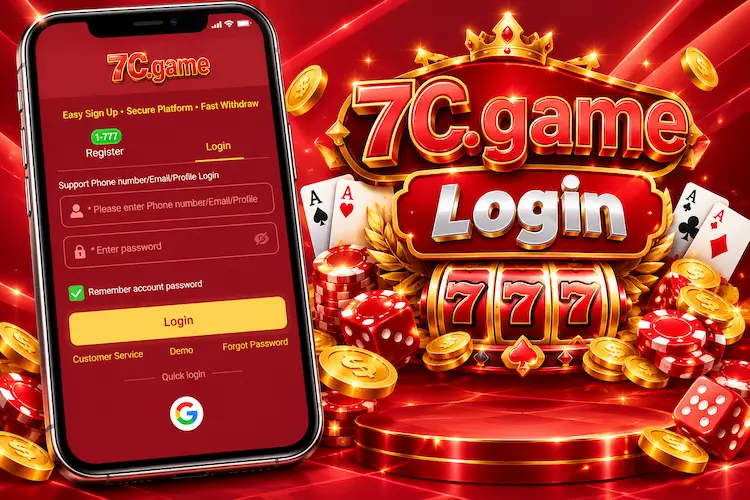
The 7C Game Login process should begin at the verified website or application. If you already have an account, locate the login page and confirm that the address belongs to the correct service before entering your credentials.
Use the username, email address, or phone number associated with your account, depending on the available login method. Enter your password carefully and follow any legitimate verification instructions.
Fixing Common Access Problems
An unsuccessful 7C Game login does not always mean that your account has a serious problem. Incorrect credentials, connection issues, temporary errors, and security restrictions can all prevent access.
Try the following solutions:
- Recheck your login details for typing errors.
- Confirm that your internet connection works properly.
- Use the official password-reset option if necessary.
- Follow the verified account-recovery instructions.
- Contact legitimate customer support if the problem continues.
If you receive an unexpected verification message, do not share its code with anyone. When you suspect unauthorized access, secure your account immediately and change any reused passwords on other services.
7C Game App Payment Methods, Wallet Rules, and PKR Transactions

Users in Pakistan should examine payment policies before transferring money to an online gaming service. In particular, confirm whether the platform accepts PKR, which payment providers it supports, and what conditions apply to deposits and withdrawals.
Do not assume that the service supports a particular local wallet or bank simply because its website targets Pakistani users.
What to Check Before Depositing
If the 7C Game APK platform accepts deposits, review its transaction limits, fees, payment procedures, and refund policies. Confirm that the recipient matches the verified service and that the payment provider supports the transaction.
Avoid sending money to an individual’s personal account based on an unofficial message. Likewise, do not share your wallet PIN, banking password, or verification code with anyone claiming to activate your account.
Understanding Withdrawal Conditions
Read the withdrawal rules before depositing funds. Check the minimum amount, processing requirements, verification steps, and possible charges. Select: Easy Paisa, Jazz Cash, or Bank Transfer for payments.
Keep transaction receipts and reference numbers so you can investigate delays. If a payment remains unresolved, contact the payment provider through its official channel and ask the platform’s verified support team for an explanation.
Be cautious when someone demands another payment to release your existing balance. Verify the request independently before taking any action.
Make Responsible Decisions
If the service includes betting or wagering, remember that you can lose money. No promotional message should convince you that a financial return is guaranteed.
Set a spending limit, protect money needed for essential expenses, and review the laws that apply to your location. Do not borrow money or chase losses in an attempt to recover previous spending.
7C Game Promotions and Reward Conditions
Online gaming services may advertise welcome promotions, referral rewards, or limited-time offers. However, the availability of these benefits depends on the actual platform.
Before accepting a 7C Game promotion, read the complete terms and conditions. Check eligibility rules, expiry dates, deposit requirements, and any restrictions on withdrawals.
A displayed bonus may not represent cash that you can immediately withdraw. Some promotions include conditions that users must meet first.
Avoid offers that create unnecessary urgency or promise guaranteed profits. A genuine promotion should provide clear rules and explain how users can request clarification.
Protecting Your Account and Personal Information
Good security habits can reduce the risks associated with unfamiliar websites and applications.
Choose strong passwords. Use a unique password for your account and avoid easy combinations such as birthdays or common words.
Protect private codes. Keep one-time passwords and account-recovery codes confidential.
Check every website address. Avoid pages that imitate a legitimate service through small spelling changes or unusual redirects.
Review permissions regularly. Remove unnecessary permissions where your device allows it.
Keep your software updated. Install operating-system and security updates from trusted sources.
Monitor account activity. Investigate unexpected login notifications, profile changes, or transaction messages.
Avoid unsafe networks. Be careful when accessing sensitive accounts over public Wi-Fi.
Secure financial information. Never send wallet PINs or banking credentials through unofficial chats.
If you accidentally install a suspicious application, remove it, run an appropriate security check, and change exposed passwords using a trusted device.
Troubleshooting: When Something Goes Wrong
Technical problems can affect websites, downloads, account access, and payment processing. Use the following suggestions to investigate common issues safely.
7C Game Download Errors
Check the source, device compatibility, and available storage. If the file comes from an unknown website, delete it instead of disabling security protections.
Application Crashes
Check for legitimate updates and confirm that your device meets the application’s requirements. If the problem continues, consult the publisher’s verified support resources.
7C Game Account Restrictions
Read any official notice explaining the restriction. Follow the stated appeal or verification process rather than paying an unofficial person who promises to restore access.
Missing Transactions
Review your payment receipt and transaction status. Contact the payment provider and verified platform support, and keep copies of relevant communications.
Suspicious Messages
Ignore unexpected messages that demand urgent payment, request verification codes, or promise guaranteed rewards. Verify important requests through a separate, trusted contact channel.
Conclusion
Choosing a gaming platform requires careful research, not just a quick download. Users should verify the publisher, examine the available features, understand account requirements, and review security and payment policies before proceeding.
When researching 7C Game, prioritize reliable information over attractive promotions or unsupported claims. Confirm whether an official application exists, check its compatibility, and learn how the service protects personal information.
For users in Pakistan, payment transparency, PKR support, and applicable legal requirements deserve particular attention. Take a cautious approach to deposits, avoid suspicious installation files, and never treat gaming rewards as guaranteed income.
By following these practical checks, you can make a more informed decision and better protect your information, device, and money.
Frequently Asked Questions
Where can I find the 7C Game APK?
Check whether the verified publisher provides an official Android package. Confirm the source and examine the file’s security details before installation.
How do I use the 7C Login?
Visit the verified login page, enter your registered credentials, and follow the platform’s instructions. If you cannot access your account, use its official recovery procedure.
Does 7C App support Pakistani Rupees?
PKR support depends on the actual service and its payment arrangements. Review the official payment terms before making a deposit.
Is the 7C App safe?
Its safety cannot be confirmed without examining the specific application and publisher. Check its source, permissions, privacy policy, and security information before installing it.
What should I do if a withdrawal takes too long?
Review the published processing rules, keep your transaction reference, and contact the verified platform and payment provider. Avoid paying an unofficial person to release your funds.
Can I use 7 C Game without installing an app?
That depends on whether the verified service offers browser access. Check its official website for supported ways to access the platform.